React UI Components Documentation
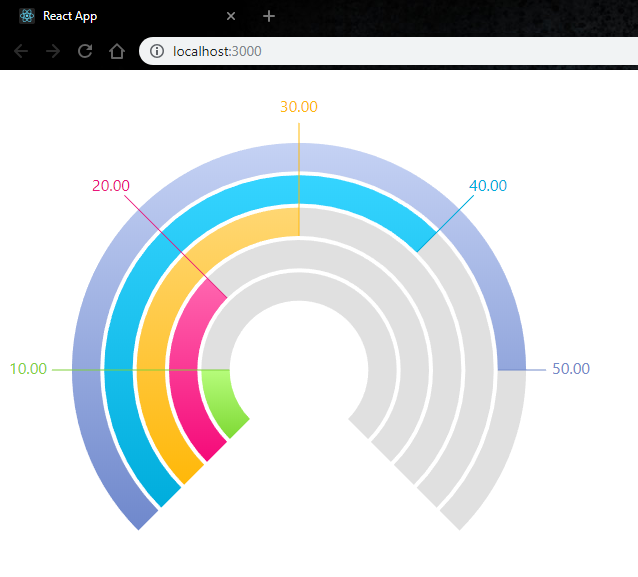
This tutorial creates a new React 19 and TypeScript project and adds a jQWidgets React component to it. You will end with a Bar Gauge whose values change when you click a button.
Create React App, which this page used to describe, was deprecated by the React team in 2025 and no longer receives updates. Vite replaces it: it starts the development server in well under a second, and its react-ts template gives you the same TypeScript setup.
Install Node.js 22 LTS or later. Check the version with:
node -v
Create the app from the Vite react-ts template, install its dependencies, and add jQWidgets. The jqwidgets-scripts package contains the JavaScript library, the themes and the React components.
npm create vite@latest my-app -- --template react-ts
cd my-app
npm install
npm install jqwidgets-scripts
Replace vite.config.ts. Some jQWidgets themes, such as material, light and dark, still contain CSS written for Internet Explorer (*zoom: 1). Vite's CSS minifier stops the build on those lines; errorRecovery makes it drop them instead, which changes nothing in current browsers.
import react from '@vitejs/plugin-react';
import { defineConfig } from 'vite';
export default defineConfig({
plugins: [react()],
css: { lightningcss: { errorRecovery: true } }
});
Replace src/main.tsx. It imports jqx.base.css, which every component needs, and one theme. Loading them here makes them available to all components in the app.
import { createRoot } from 'react-dom/client';
import 'jqwidgets-scripts/jqwidgets/styles/jqx.base.css';
import 'jqwidgets-scripts/jqwidgets/styles/jqx.tailwind-blue-dark.css';
import App from './App';
createRoot(document.getElementById('root')!).render(<App />);
The template wraps the app in <StrictMode>; this version does not. In development, Strict Mode mounts each component, unmounts it and mounts it again, and the components in jqwidgets-scripts 27.0.1 lose their element when they unmount. Production builds are not affected, as Strict Mode only runs in development.
The template's index.css centers the page and sets its own colors; this version of main.tsx no longer imports it. You can delete src/index.css and src/App.css.
Each component is imported from its own folder in jqwidgets-scripts/jqwidgets-react-tsx. The I...Props interface that comes with it types every option. Import it with type: the template turns on TypeScript's verbatimModuleSyntax, and without type the browser looks for an IBarGaugeProps export that only exists at compile time. Replace src/App.tsx:
import { useState } from 'react';
import JqxBarGauge, { type IBarGaugeProps } from 'jqwidgets-scripts/jqwidgets-react-tsx/jqxbargauge';
// Options that never change are defined once, outside the component.
const tooltip: IBarGaugeProps['tooltip'] = {
visible: true,
formatFunction: (value: string) => `Price index: ${value}`
};
function App() {
const [values, setValues] = useState<number[]>([10, 20, 30, 40, 50]);
const randomize = () => {
setValues(values.map(() => Math.round(Math.random() * 60)));
};
return (
<main>
<JqxBarGauge
width={600}
height={600}
max={60}
colorScheme="scheme02"
values={values}
tooltip={tooltip}
/>
<button type="button" onClick={randomize}>New values</button>
</main>
);
}
export default App;
Props work the way they do for any React component. When values changes, the wrapper passes the new value to the widget, which animates to it.
npm run dev
Open the address Vite prints, http://localhost:5173 by default. The page reloads as you edit files.
npm run build
npm run preview
npm run build type-checks the project and writes an optimized bundle to dist/. npm run preview serves that folder locally so you can check it before you deploy.
Every component has a live example with source code at jqwidgets.com/react.